Git, easy as a click.

Read your history as a graph, then stage, commit and merge with a click. No account, no setup.

Windows · macOS · Linux · free

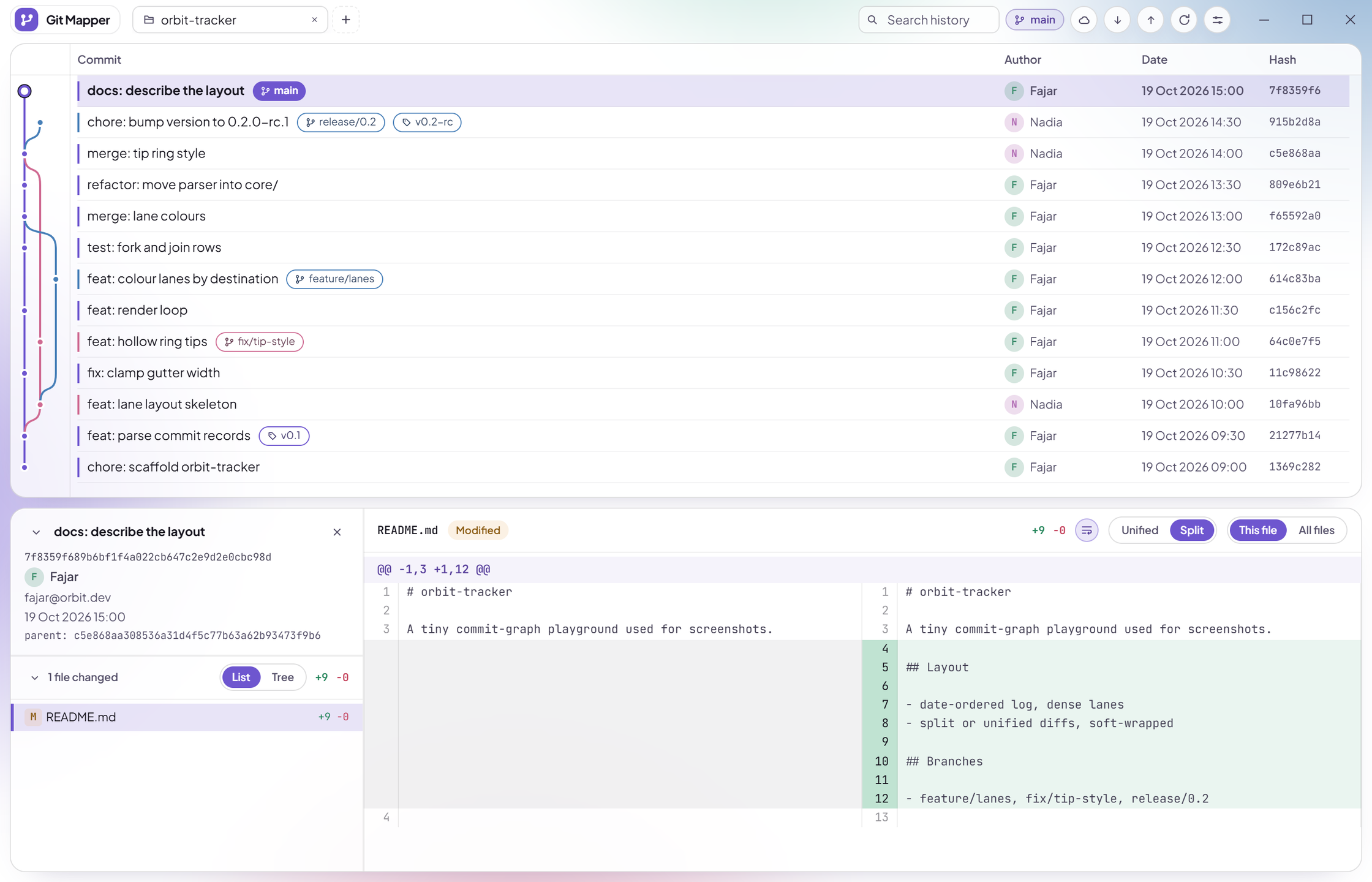
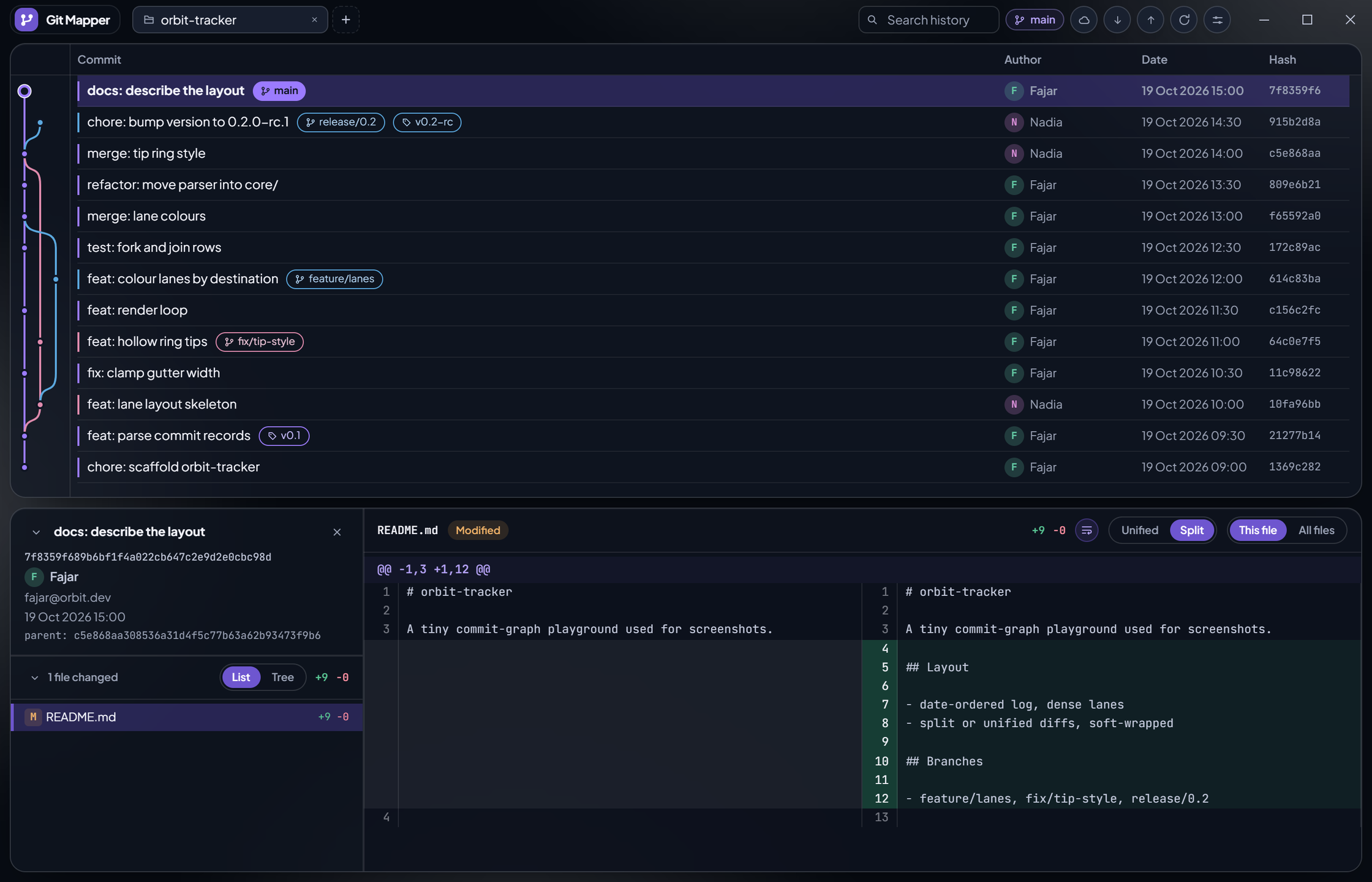
Git Mapper with a repository open, light theme: glass commit feed, lane-coloured graph, diff panelThe same repository in the dark theme: deep canvas with white halos, smoked glass panes
Light Dark

Same repository, both themes — drag the divider, or press arrow keys while it is focused.

Read the history, then act on it.

Stage, commit, sync and merge without leaving the graph.

The graph, in lane colours

Every branch owns a hue from tip to root. Forks bend exactly at their commit, merges join back cleanly, and dense lanes stay readable hundreds of rows in.

  • Branch, remote and tag pills on every row; double-click to check out
  • Search by hash, message, author or ref with Ctrl+F
  • Reorder, resize and hide columns to suit you
  • Each repository in its own tab, restored on launch
The commit graph: five branches in their own colours forking and merging back into main, with branch, tag and stash pills on the rows

Down to the single line

Stage or discard one hunk, or tick just the lines you mean. Commit half of a messy file as two clean commits, no command line needed.

  • Tick the gutter, or drag across several lines
  • The hunk's buttons become Stage, Unstage or Discard N lines
  • Staged and unstaged sides shown one at a time, like VS Code
  • A hunk that moved underneath you is refused, never misapplied
An uncommitted diff with five changed lines ticked, and the hunk header now offering Stage +4 -1, Discard +4 -1 and Clear

Stage, commit, undo

The uncommitted row opens a staging rail beside the diff. Stage, unstage or discard by file, write the message and commit. Changed your mind? Undo the tip commit and its files come back staged.

  • Stage, unstage or discard a whole hunk in one click
  • Fetch, pull (fast-forward only) and push from the branch counters
  • Destructive actions sit behind a clear confirm
  • The rail docks itself once the working tree is clean
The staging rail listing a staged file and three changes beside the staged diff of src/lib/graph.ts, with an Unstage hunk button

Merge, and settle conflicts in place

Merge a local branch from its pill. If git stops on conflicts they land in the rail: take a side per file, or open the file and pick current, incoming or both for each block.

  • Conflict blocks inline, with line numbers and syntax colours
  • Keep current, keep incoming, or keep both, block by block
  • Finish with git's own prepared message
  • Or abort and the repository returns to how it was
A merge conflict in src/config.ts shown inline with Keep current, Keep both and Keep incoming buttons, and a Conflicts section in the staging rail

Diffs that read

Unified or split like GitHub, syntax highlighted in three colour schemes, with word-level marks showing exactly what changed.

  • One file at a time, or every changed file stacked in one scroll
  • Flat list or folder tree, with status badges and renames
  • Picture diffs for images: 2-up, swipe or onion peel
  • Hover a file and its patch is already loading
A commit selected in the graph with its split diff open: the old lines on the left, the new lines on the right

Also in the box

Stashes
Each stash gets its own row above the commit it was taken on. Apply, pop or drop from its menu.
Always current
Focus the window and it re-checks branches and the worktree. A background fetch keeps ahead/behind honest.
Tabs that remember
Selected commit, file and panel state per repository. Drag to reorder; idle tabs sleep to save memory.
Right-click menus
Check out a branch or commit, copy hashes and ref names, merge, undo the tip, handle stashes.
Light and dark
Two themes, zoom the whole window with Ctrl plus, minus and zero, window position restored on launch.
Updates itself
Checks on launch, downloads in the background, restarts when you say so.

You stay in control

Git Mapper runs your own git and only does what you click. Pulls are fast-forward only, and anything that throws work away, such as discard, drop or detach, asks first. No account, no cloud.

Why I made this

I built Git Mapper so Git stops feeling heavy. History is something you should be able to see, and the everyday things should be a click, not a command you have to look up.

Fajar

Try it on your own repos

The installer for your system lives on GitHub Releases. The app checks for updates on launch and stays current on its own.

Or browse the source on GitHub and build it yourself with Tauri 2.