main
The graph, in lane colours
Every branch owns a hue. Forks bend exactly at their commit, merges join back cleanly, and dense lanes stay readable hundreds of rows in.
Git Mapper is a standalone Git history viewer. Open a repository and read the graph: what happened, which line belongs to which branch, what changed and in which file — without touching a terminal.
Windows · macOS · Linux · free
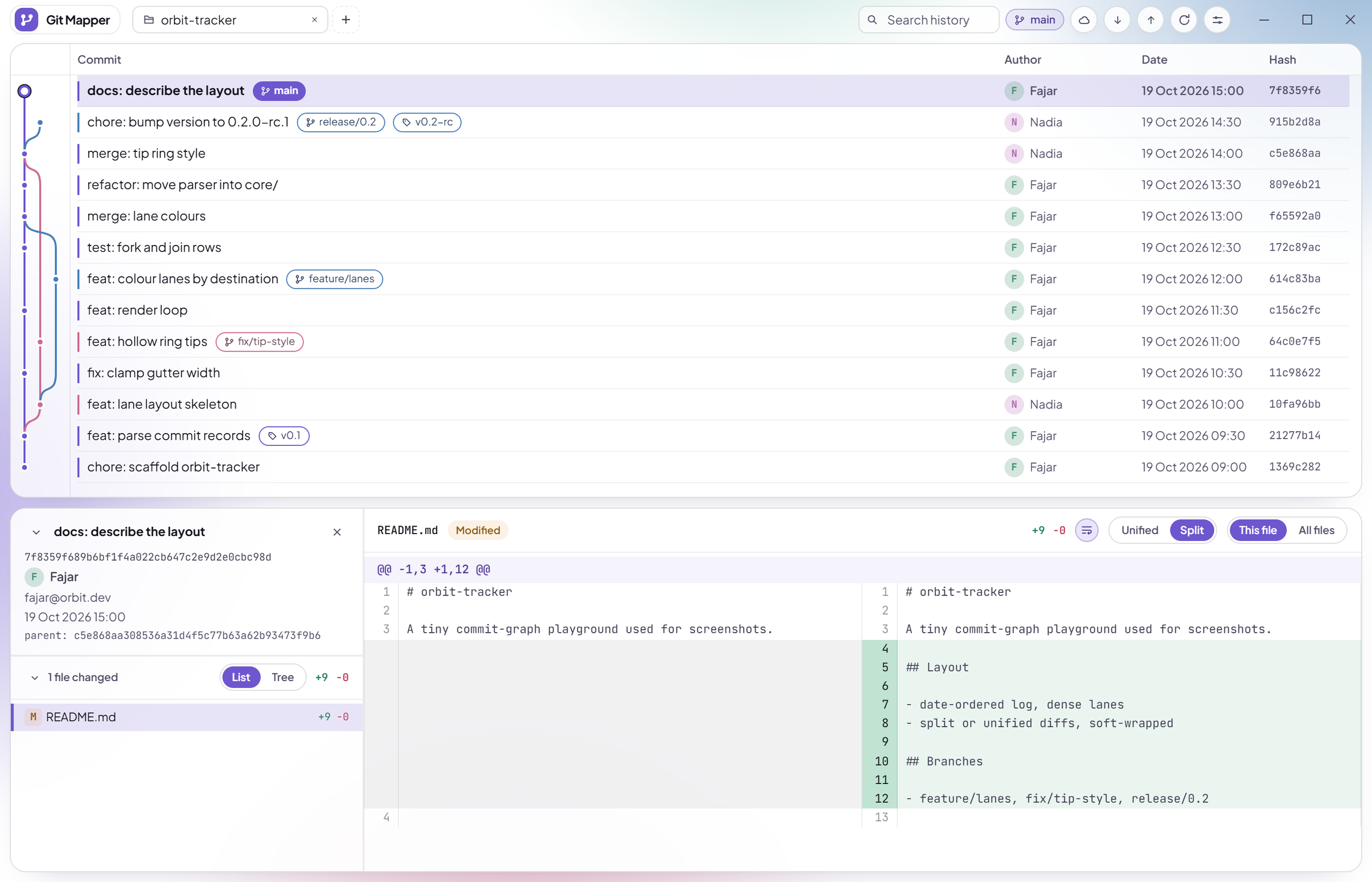
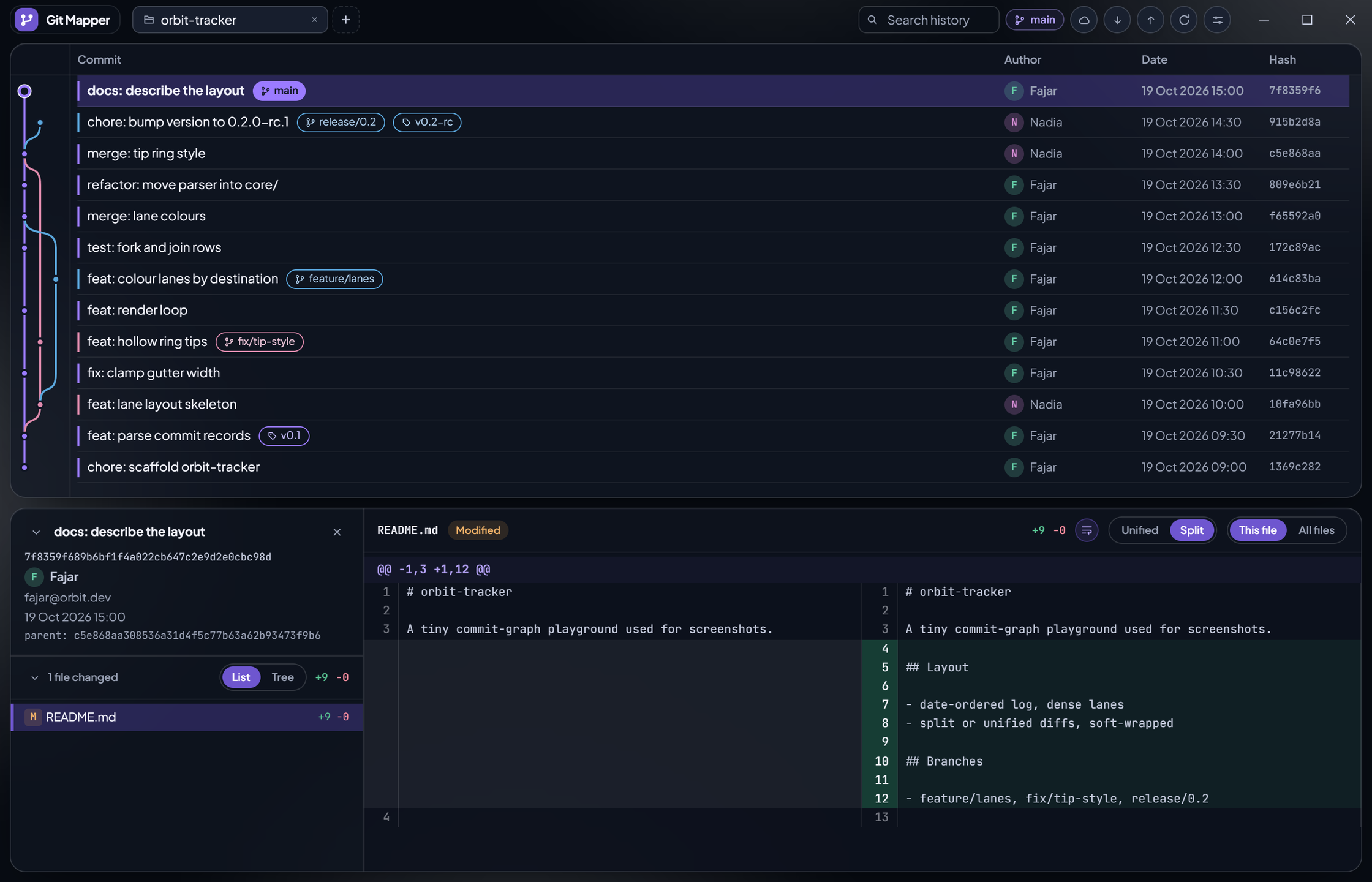
Same repository, both themes — drag the divider, or press arrow keys while it is focused.
Open a repository and the graph, file list and diffs line up to explain it — branches, merges and stashes included.
Every branch owns a hue. Forks bend exactly at their commit, merges join back cleanly, and dense lanes stay readable hundreds of rows in.
Unified or split side-by-side, syntax highlighted, with picture diffs for image changes. Every changed file: one click away.
Focus the window and it re-checks branches and the worktree — pushes, pulls and file edits flash in. No hammering git, no stale rows.
Each stash gets its own row, dated where it was taken. Apply, pop or drop straight from the list — with confirms where they matter.
Git Mapper only reads your repository. The two things it does to history are deliberate: checkout is a double-click, and detaching HEAD asks before it happens.
The installer for your system lives on GitHub Releases. The app checks for updates on launch and stays current on its own.
macOS
Git.Mapper.dmg — Apple Silicon + Intel · first launch: right-click * Open (signed, not notarized)
Or browse the source on GitHub and build it yourself with Tauri 2.